If you are an advisor or an administrator, follow the instructions below to log in to Advise. If you are a faculty member and want to file a student Alert, please visit the folder Filing Student Alerts.
- Go to www.lesley.edu/advise
- Select Other organization on the Ellucian Cloud US PROD ADFS page - reference the image below.
- Enter your Lesley credential and click on Next
- Proceed with the standard Lesley SSO login process
- Enter or pick an account using your Lesley credential
- Enter your Lesley password


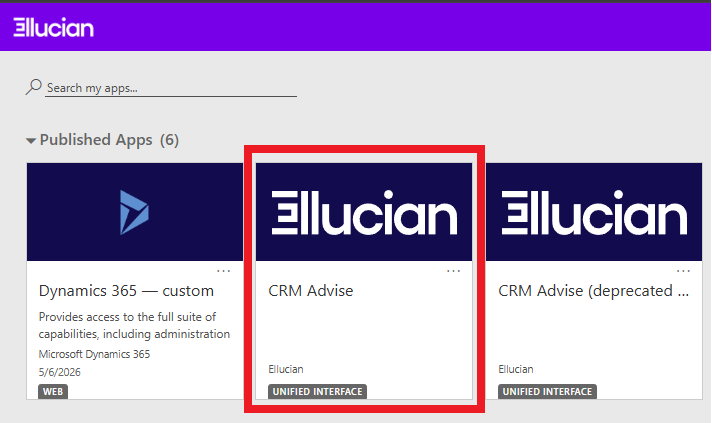
Once you have logged in, you will select the CRM Advise tile, as shown below:
Was this article helpful?
That’s Great!
Thank you for your feedback
Sorry! We couldn't be helpful
Thank you for your feedback
Feedback sent
We appreciate your effort and will try to fix the article