Emergency Contact information is needed to facilitate care and/or notification to appropriate parties in the event of an emergency. Your emergency contact is the first-person healthcare providers and emergency services will contact if you're in a medical or mental health crisis. It's important that your emergency contact knows your health history and has access to your health information.
Change Emergency Contact
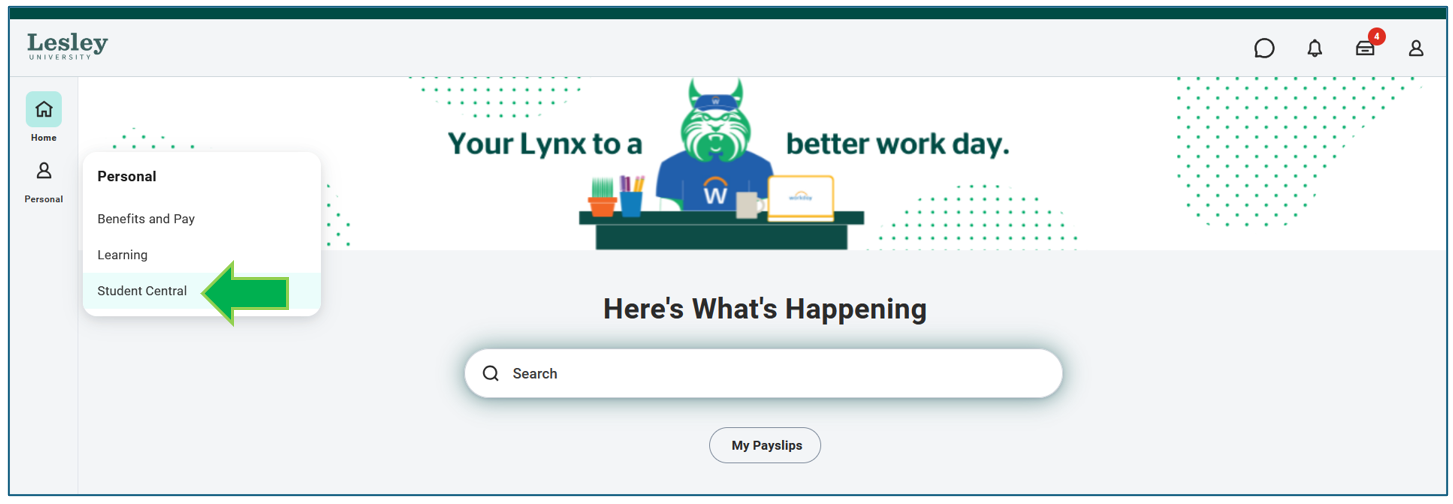
Click on the Student Central application on your Workday homepage.
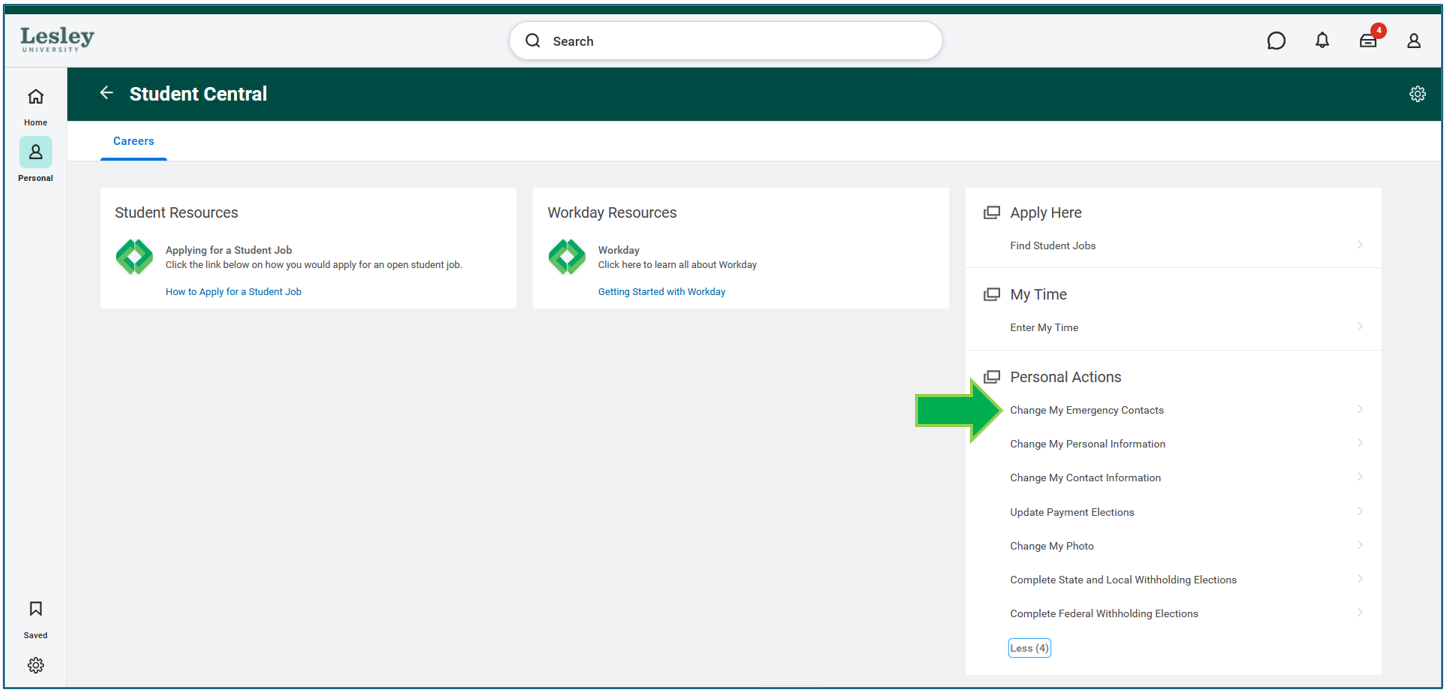
On the right hand-side, you will see actions you can make. Under Personal Actions, click Change My Emergency Contacts.

Complete all the required fields.
- First and Last Name
- Phone Number the person can be reached at
- One email address
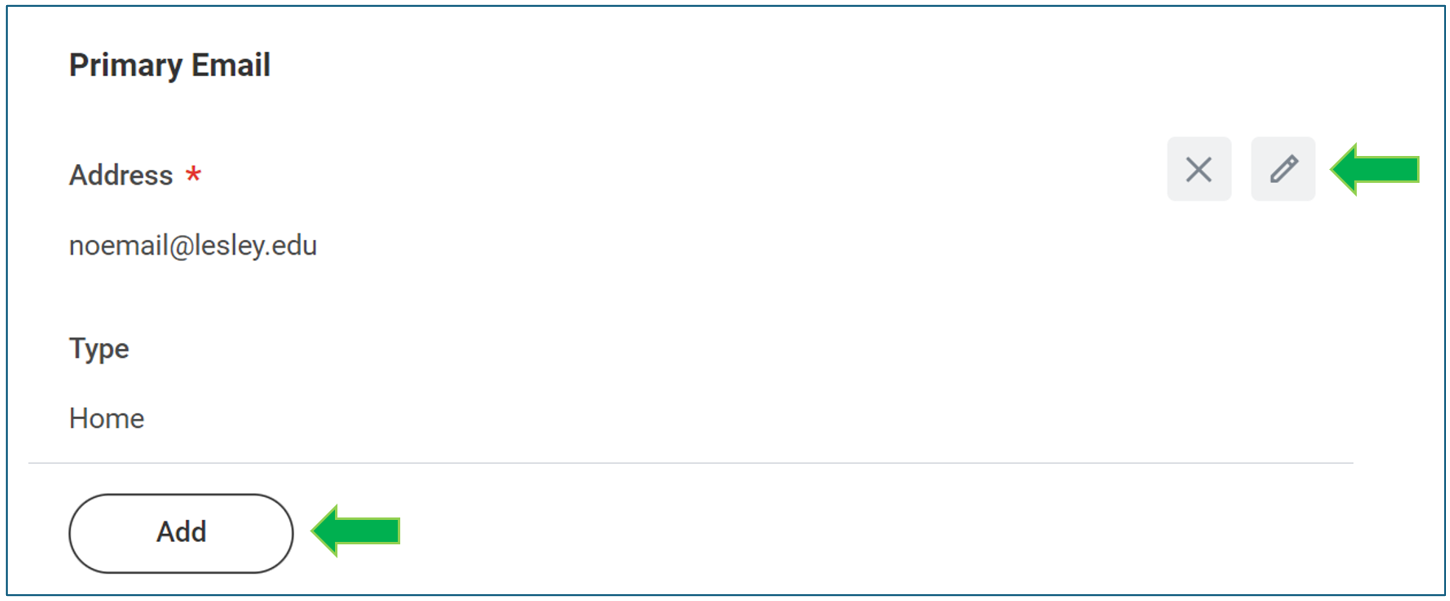
To make changes to an existing record, click the gray pencil icon. If you are adding a new contact, click the Add action to initiate a new field to enter their information.
When you are completed, click Submit to save your changes. If you need more time, click Save and the task will be in your Awaiting Your Action inbox on the homepage to submit later.
Was this article helpful?
That’s Great!
Thank you for your feedback
Sorry! We couldn't be helpful
Thank you for your feedback
Feedback sent
We appreciate your effort and will try to fix the article