Change My Contact Information
You can change your home contact information at any time.
Please be aware that some home address changes may affect your employee record in the following areas:
- Benefit Vendors
- Taxes
- Paycheck
Change my Contact Information
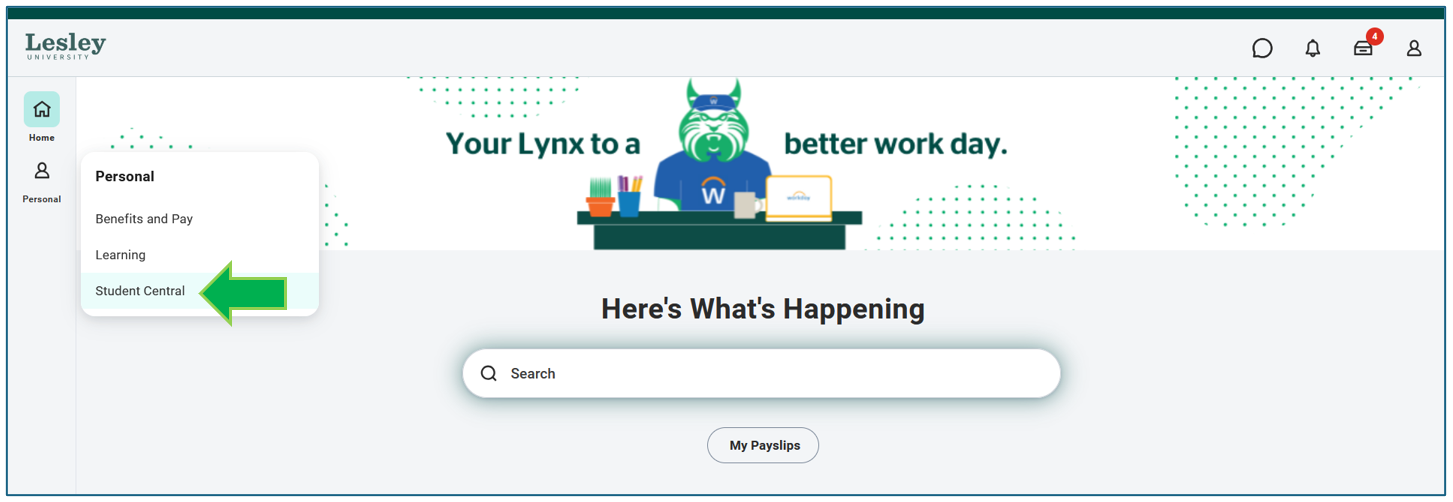
Under the Personal tab, click on the Student Central application on your Workday homepage.
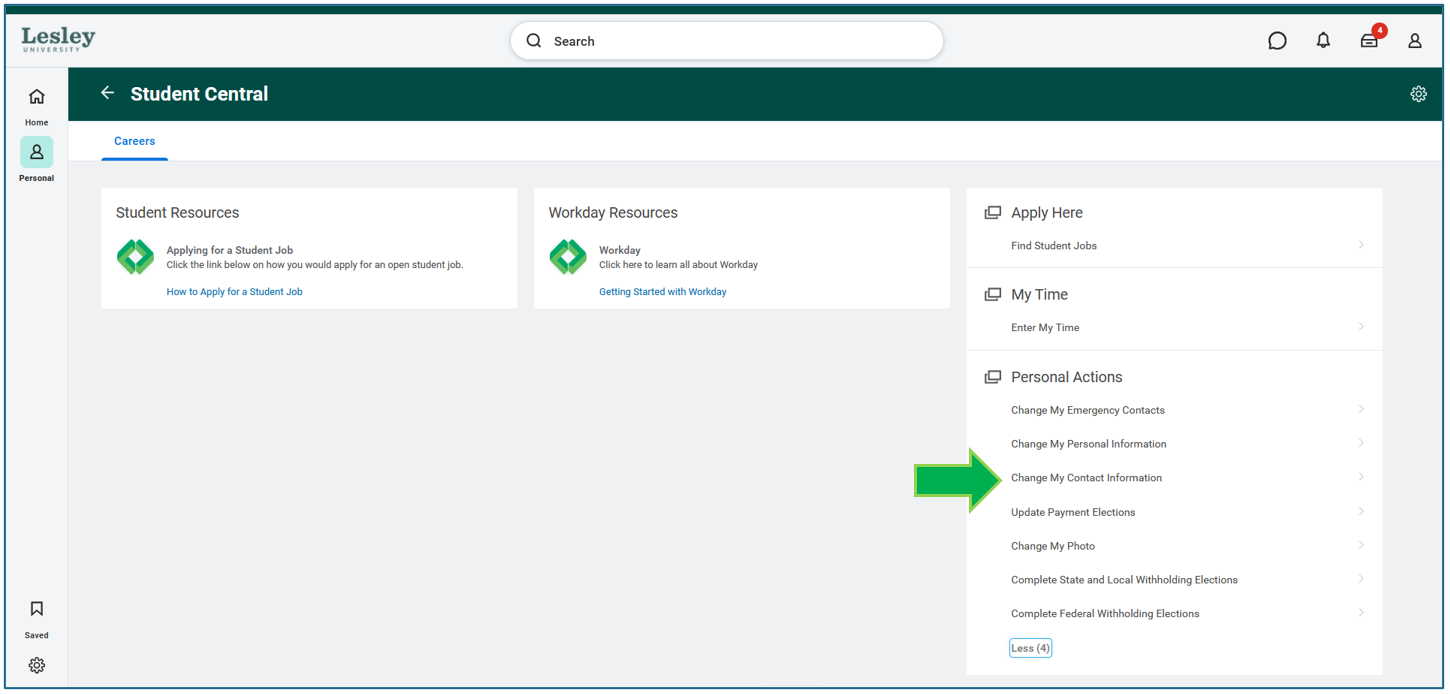
Under Personal Actions click Change My Contact Information.
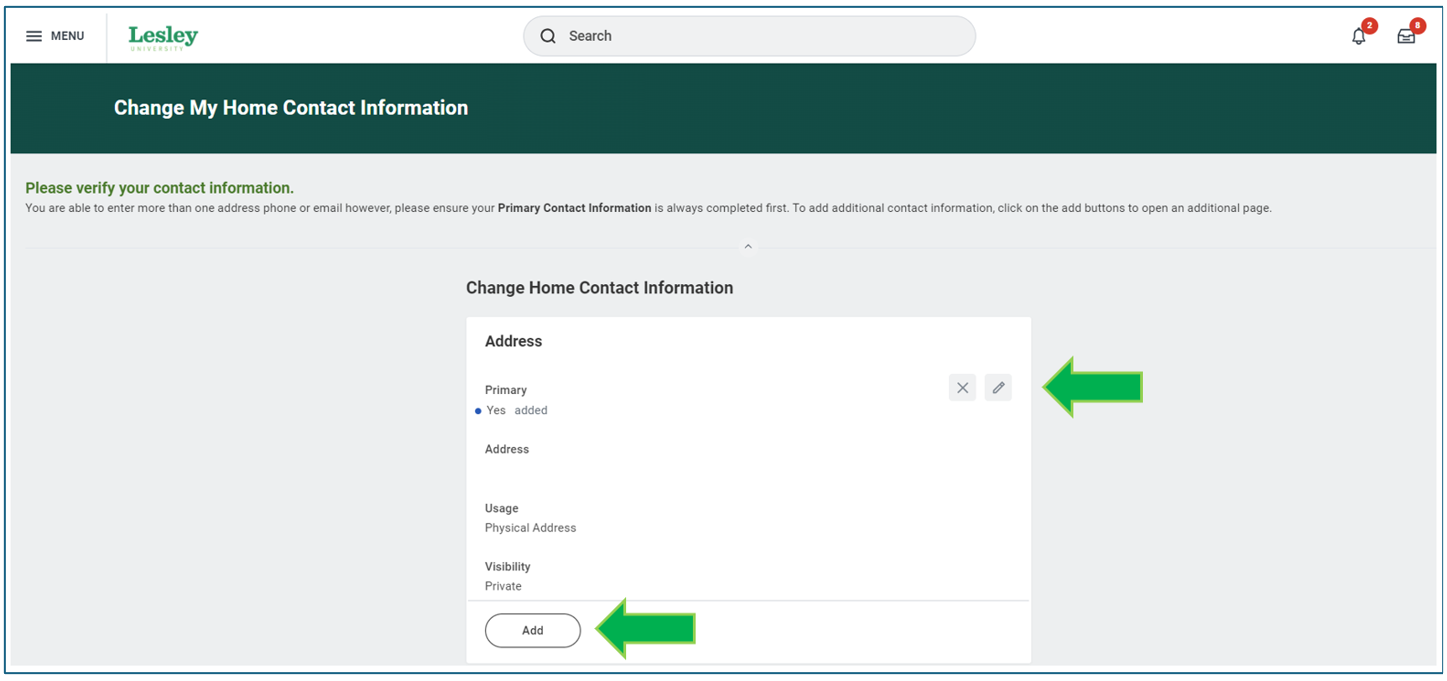
You will be prompted to fill in the details of your contact change. Click on the pencil icon to update/edit various contact information such as address, phone, and email.
If you want to add any additional contact information, click the Add action and complete all applicable fields.
Once you have added information to all applicable fields, please select Submit.

