You can approve a request time off such as personal, vacation, sick, jury duty, or bereavement for employees that report to you.
Review Absence Request
On your Workday homepage, you will find a task in your Awaiting Your Action inbox to review and approve an absence request.
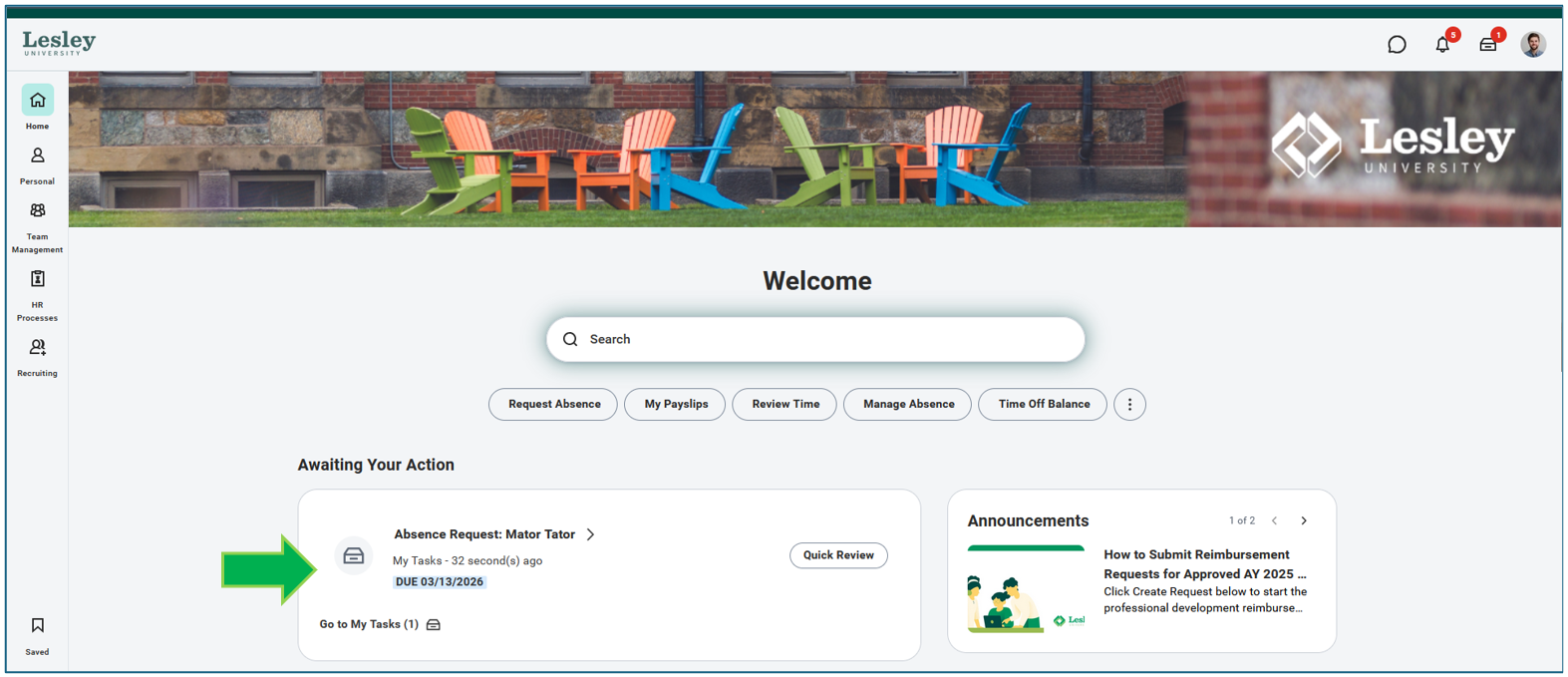
As a manager, you can Approve, Send Back, or Deny the time off request.
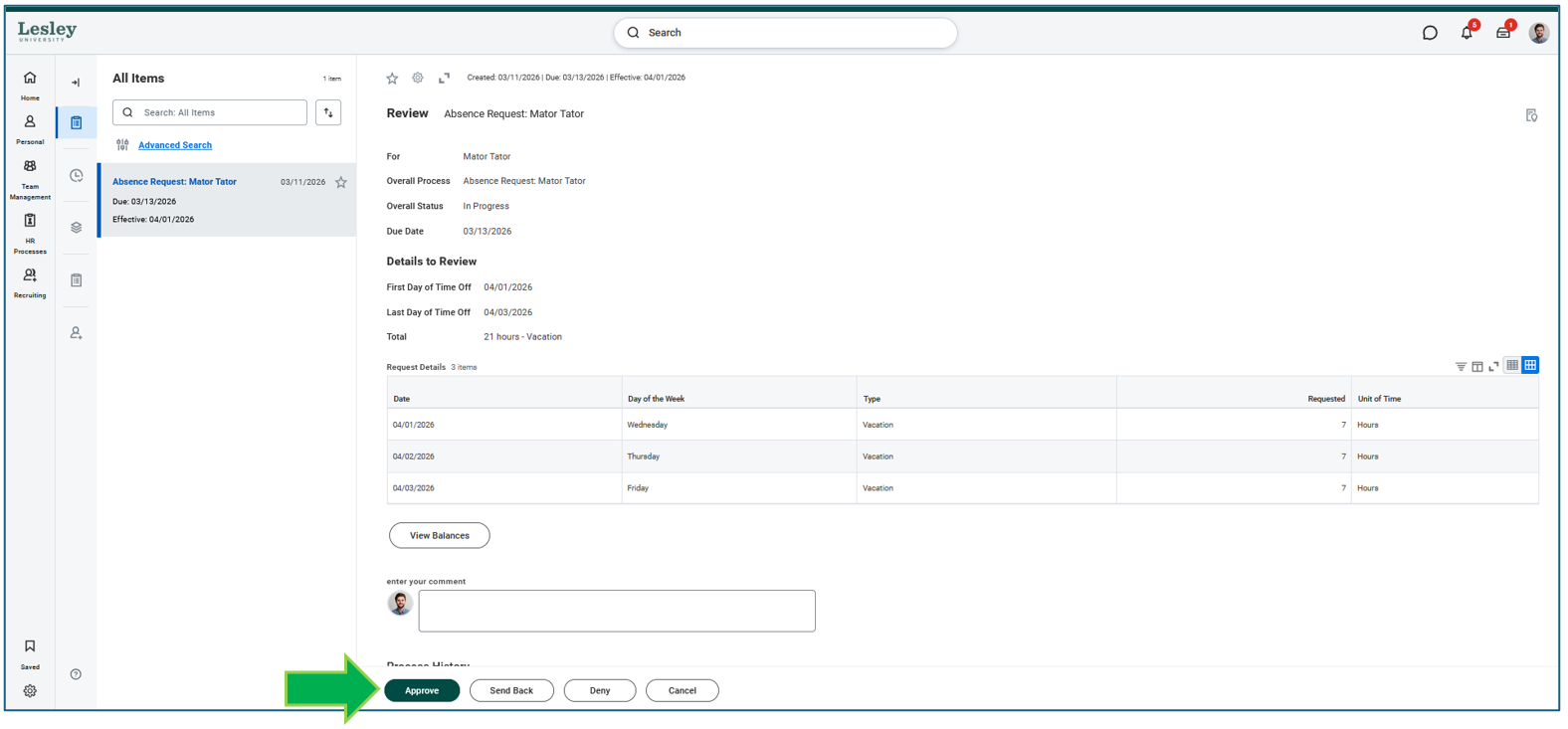
- Approve: This will approve your employees time off request. The employee will receive an email notification that their time off request has been approved.
- Send Back: If selected, you will be required to provide a reason as to why you are sending it back. Your employee will be able to view the comments within the request.
- Deny: If selected, this will deny the request. You will be required to enter a comment. Please note it is recommend that the manager discuss the nature of the denial prior to processing.
Was this article helpful?
That’s Great!
Thank you for your feedback
Sorry! We couldn't be helpful
Thank you for your feedback
Feedback sent
We appreciate your effort and will try to fix the article