How to Select your VPN Server
By default, the Ivanti VPN should connect to the primary server of (remote.lesley.edu) and not the backup server(remote2.lesley.edu) but you can manually choose which to connect to. To do so follow these directions.
Open the Ivanti Access Secure Client and expand the triangle next the Lesley University
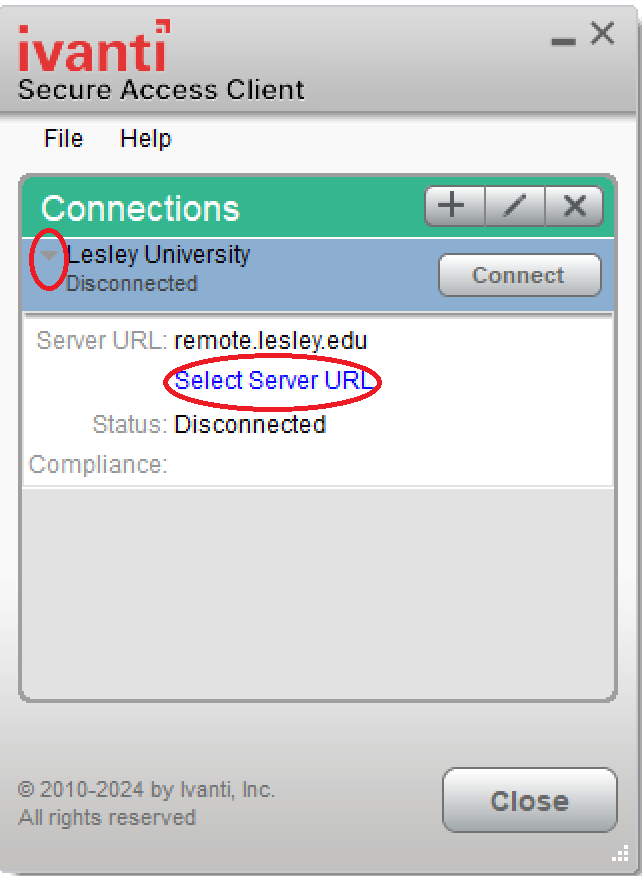
Click on the "Select Server URL" link
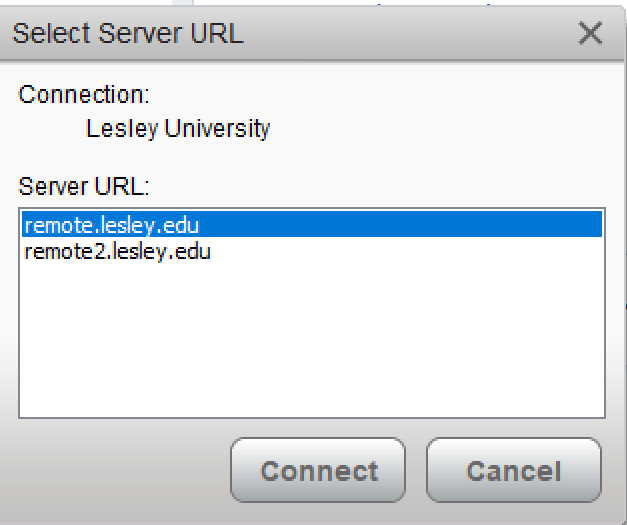
From here you can highlight the server you wish to connect to and press "Connect"